 Titan Studio
Made exclusively for the Titan Two
Your Titan Two,
at full power.
Computer vision about seven times faster than OpenCV. Scripts you build without writing a line of code. A live view of everything your console receives. Eleven pro tools in one app, made for one device.
$9.99 a month · Cancel anytime · For Mac and Windows
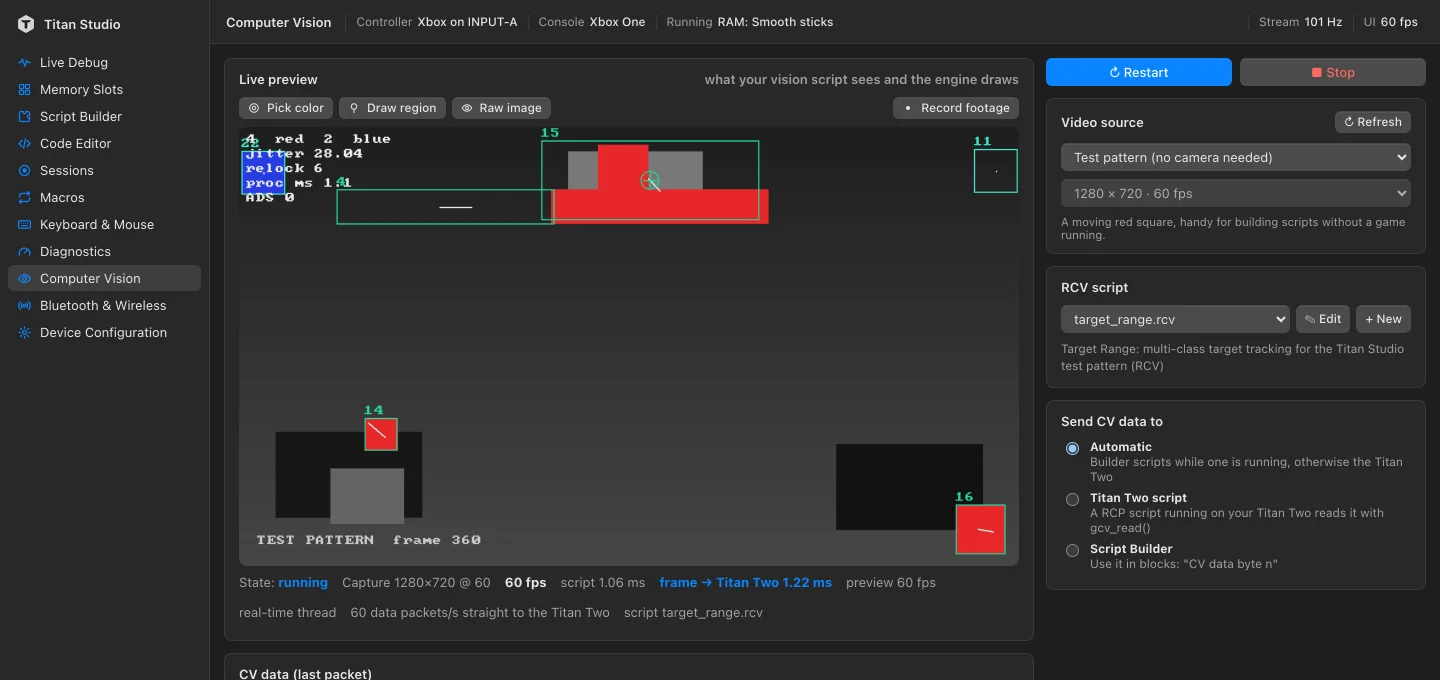
Computer vision
Vision that leaves OpenCV behind.
Our vision engine is built from the ground up for one job: spotting what matters on screen and getting it to your Titan Two, frame after frame. On the same color-tracking work it needs about a seventh of OpenCV's time, so your script gets more of every frame.
- Capture cards at up to 120 frames a second
- Pick colors straight from the live preview and see the mask instantly
- Record footage, then replay it through any vision script
- Measure your whole setup's delay with the built-in latency lab
1280 × 720
1920 × 1080
1 Median time per frame over 300 runs on an Apple M1 Max: the same 1280×720 and 1920×1080 frames with four small colored targets, found by Titan Studio and by OpenCV 4.10 running the equivalent color-tracking steps. Results vary with hardware and picture content.
One device, done right
Made for the Titan Two. Only the Titan Two.
Titan Studio doesn't try to cover every adapter on the market. It is built around one device, so every screen speaks the Titan Two's language: its memory slots, its outputs, its Bluetooth module and its scripts.
All nine memory slots
See what is installed, swap scripts with a drag, and bring back any earlier version.
Every console it supports
Pick your console's output in a click and let the Titan Two handle the rest.
Bluetooth & wireless
Module status, pairing and a live map of what is connected to what.
Every device setting
The whole configuration, editable, and written to the device the moment you change it.
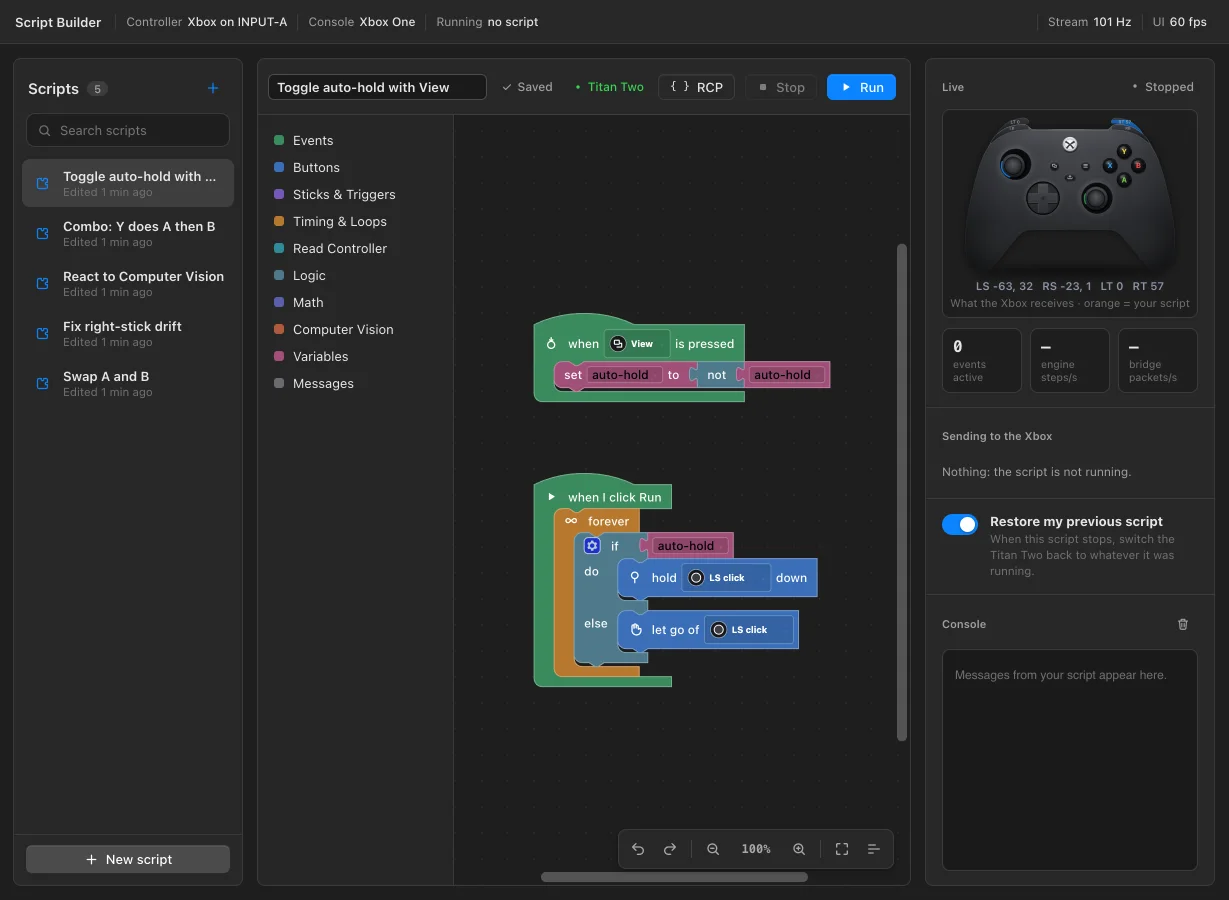
Script Builder
Powerful scripts. No code required.
Snap blocks together for buttons, sticks, timing, combos and computer vision. Your script runs on a 1,000 Hz engine the moment you press Run, and becomes a real Titan Two script you can install in a slot.
- Ready-made starters for remaps, combos, toggles and drift fixes
- See the result live on the controller, as the console gets it
- Open any block script as code when you want more control
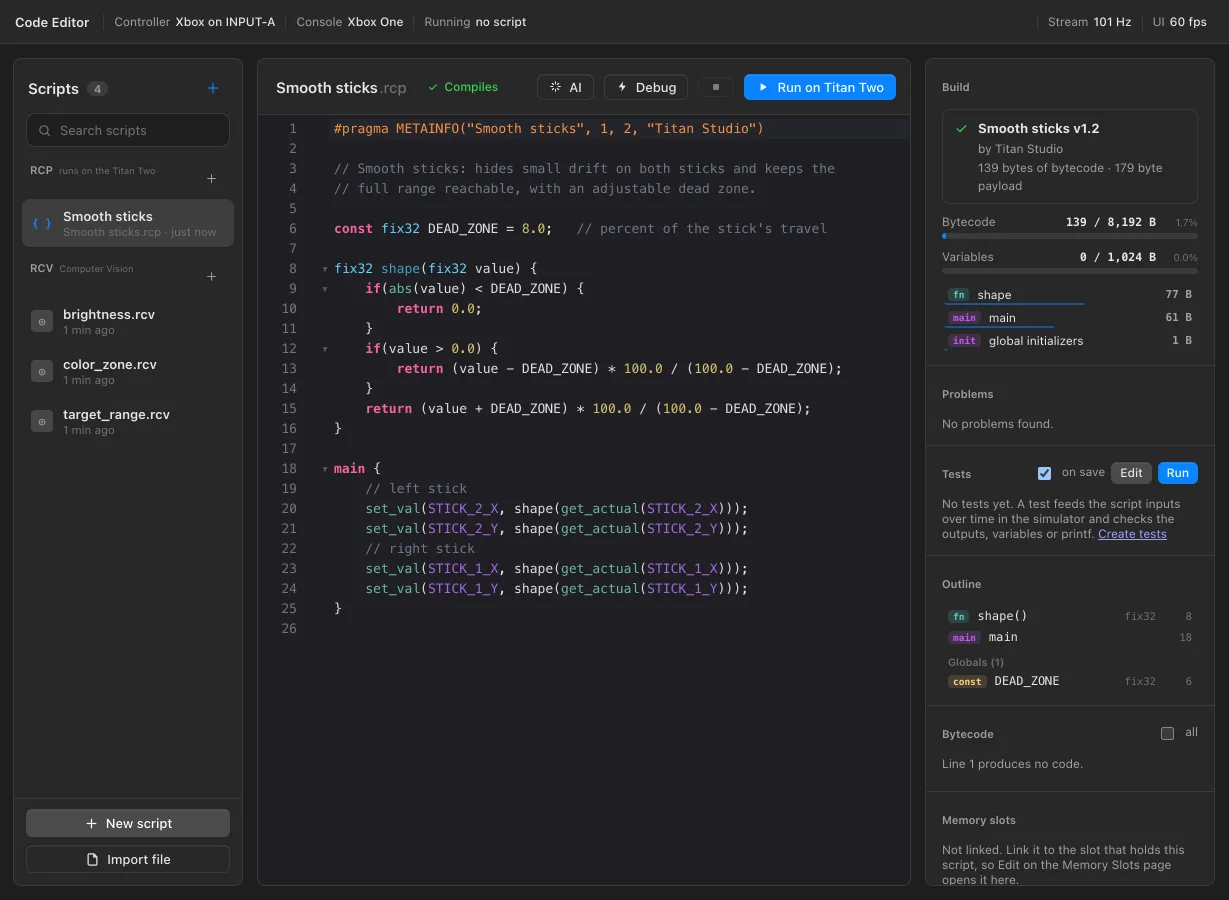
Code Editor
Write, test and debug like a pro.
A full editor for Titan Two scripts, with errors flagged as you type, completions, and documentation on hover. Your existing Titan Two scripts open as they are.
- Breakpoints, step-by-step execution and a ten-second rewind
- A simulator that runs your script without touching your console
- Script tests that check every change in one click
- Size and memory budgets at a glance
Everything in one app
Every tool you need. Built to work together.
Computer Vision
Track what happens on screen with your own vision scripts, fast enough for high-frame-rate capture.
Script Builder
Build complete scripts from blocks, then run them at 1,000 Hz or install them on the device.
Code Editor
Live error checking, completions and documentation, with full compatibility for existing scripts.
Debugger & simulator
Pause on any line, inspect every variable and rewind ten seconds, all without the console.
AI assistant
Describe what you want and get a script that is checked and corrected before it reaches you. Bring your own AI key.
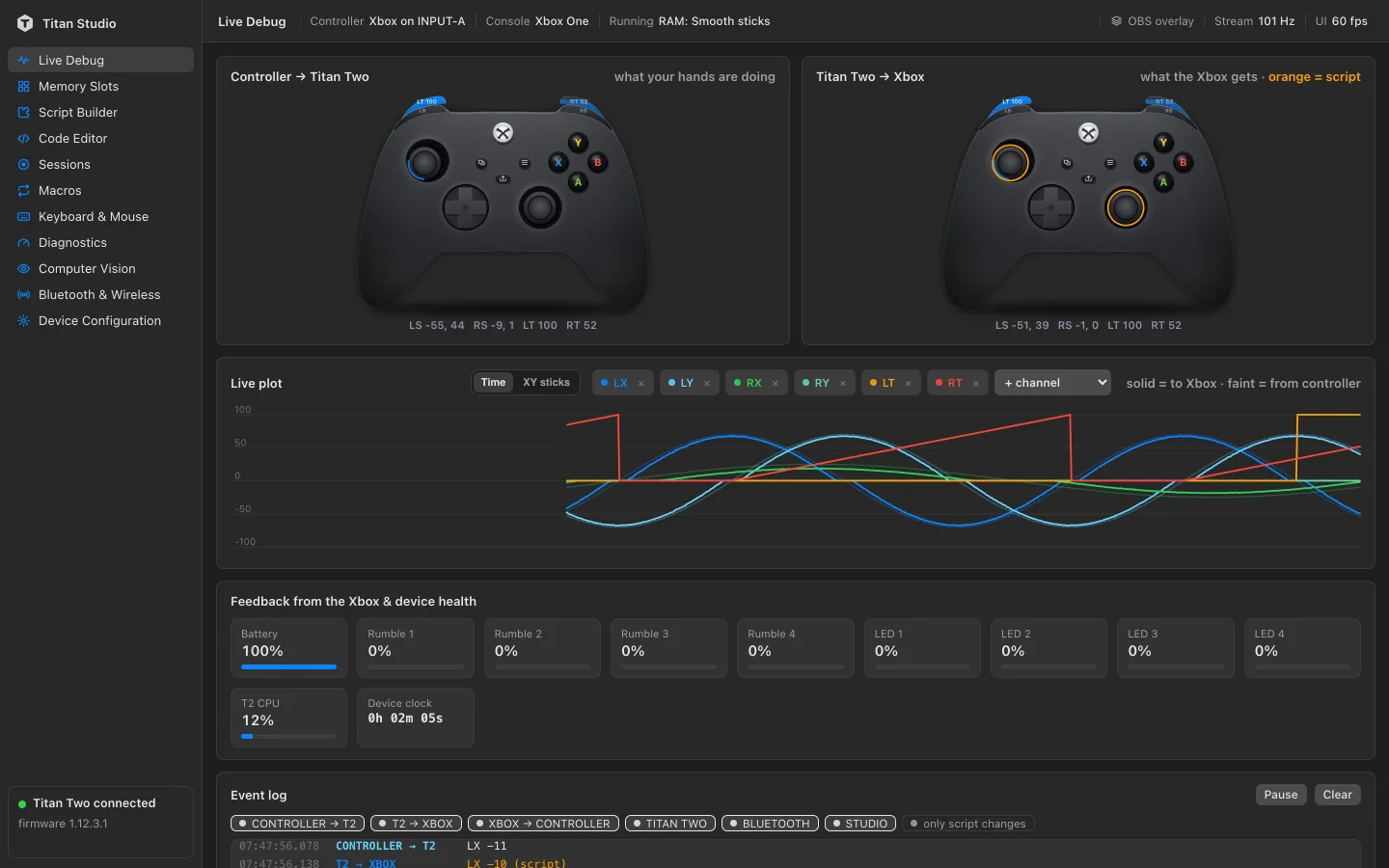
Live Debug
Your hands and the console's view, side by side, with a live plot of every stick and trigger.
Memory slots & loadouts
Install with a drag, save whole setups as loadouts, and restore any slot's history.
Sessions
Record your play, scrub through it, and replay any moment through any script.
Macros
Record a move once on your controller and play it back whenever you want.
Keyboard & mouse
Play with a keyboard and mouse, mapped exactly the way you like.
Diagnostics
Measure drift, reach, trigger range and timing, and find the dead zone your controller needs.
Streaming overlay
A clean controller overlay for OBS, so your viewers see every input as it happens.
New
Introducing Glass.
Glass is the new technology at the heart of Titan Studio. It keeps the studio current and your Titan Two instant, at the same time.
Always up to date
Improvements to the studio reach you the moment we release them, without downloading or reinstalling anything.
No added latency
Glass never stands between your controller, your capture card and your console. Everything real-time runs at full speed on your computer.
Nothing to set up
Sign in and you are ready to play. Glass takes care of the rest, quietly, every time.
See what your Titan Two can really do.
One plan with every feature included: $9.99 a month, cancel anytime.
- MacmacOS 13 or later
- WindowsWindows 10 or 11, 64-bit
- Titan Twoconnected over USB